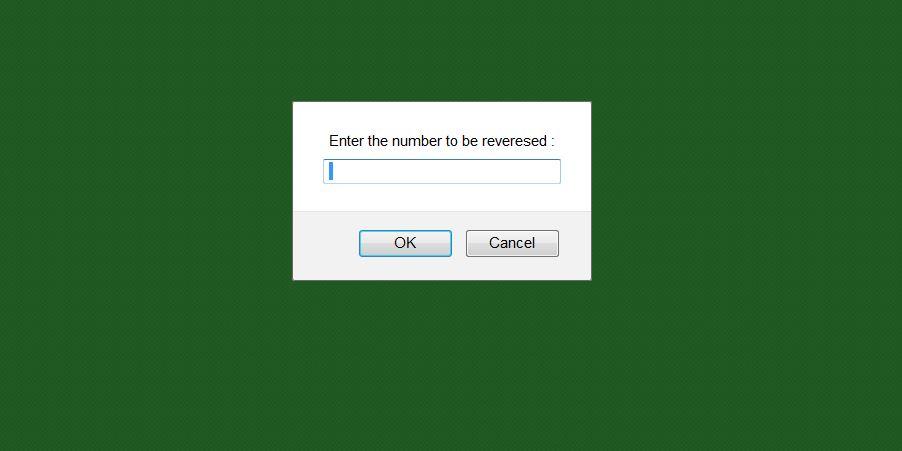
This program uses a Javascript to reverse a given number. This is also known as the implementation of a palindrome. The program is quite simple. It asks you to enter a number and reverses the same for you. You can refer to the images for inputs and outputs.
We have explained two different methods to reverse a number here.
//Palindrome.html
<!DOCTYPE HTML>
<html>
<title>Palindrome.html</title>
<script type ="text/javascript">
function rev_num()
{
var num = prompt("Enter the number to be reveresed :", " ");
var n= num;
var rev = 0, rem;
while (n>0)
{
rem = n % 10;
rev = rev * 10 + rem ;
n = Math.floor(n/10);
}
document.write("The given number is : " +num+ " <br/> The reversed number is : " +rev+ "\n");
}

</script>
<body style="background-color:green" onload="rev_num();"> <!-- when the page gets loaded rev_num() function gets called -->
<body>
</html>
Suggested Read:
Input:
Output 1:

Output 2:
The following video explains how to execute the javascript:
Alternative Method
There is an alternative method to reverse a given number using split(), reverse() and join() functions available in javascript. The following code explains this.
//Palindrome2.html
<!DOCTYPE HTML>
<html>
<title>Palindrome2.html</title>
<script type ="text/javascript">

function rev_num() {
let num = prompt("Enter the number to be reveresed :", " ");
let str = num.toString().split('').reverse().join('');
let rev = parseInt(str);

document.write("The given number is : " +num+ " The reversed number is : " +rev+ "\n");
}

</script>
<body style="background-color:green" onload="rev_num();"> <!-- when the page gets loaded rev_num() function gets called -->
<body>
</html>
Input:
Output:
How to execute this script?
- Copy the code and save it in a text file with a .html extension.
- Open the file saved with a .html extension in a browser.
- You will be asked to enter a number/series and the result gets displayed on the same HTML page.
- To check for another number/series, refresh the page and again enter a new number. You can also refer to the video for easy understanding.
Please comment if you face any difficulties.
Another way could be:
function rev_num() {
let num = prompt(“Enter the number to be reveresed :”, ” “);
let str = num.toString().split(”).reverse().join(”);
let rev = parseInt(str);
document.write(“The given number is : ” +num+ ” The reversed number is : ” +rev+ “\n”);
}
Yes. This also works.
Thanks there. :)
Comments are closed.